• Proclaim 4.12 (4.12.0.0161) With a PowerPoint item selected, when importing another PPTX, the imported file becomes a child item of the selected PowerPoint item. Importing another PPTX file should show as a new (parent) item, not a child item. Is this a known issue?
    1. After the latest update, Proclaim no longer recognizes rtpMIDI or loopMIDI network MIDI controllers. These have worked for years, and now no MIDI controller appears in the SETTINGS->LIGHTING/MIDI except "Microsoft GS Wavetable Synth". All the MIDI controllers we have used are gone.
      1. I have used NONE of this capability, but thank you for your post. It has reinforced that we MUST NOT do a relaunch on a Saturday evening/Sunday morning, even though that is a quite natural time to do so ... when we see the alert. On the one hand I am pleased that Logos is continually responding to the needs for updates and upgrades, but with the sheer volume of these upgrades it appears as though more and more unintended consequences are finding their way into Proclaim updates. Fortunately none have impacted our use of this service ... but obviously it has impacted others!
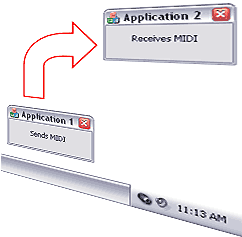
      2. This happened to us, . I found a solution online. This is a bug with the way Windows handles MIDI. https://devblogs.microsoft.com/windows-music-dev/windows-midi-services-rollout-known-issues-and-workarounds/ Until Microsoft gets around to fixing it, the solution is as follows: Stop all MIDI services (if you use RTPMIDI I found that you just need to open it and uncheck the Enabled checkbox and make sure to disconnect all participants > 1st screenshot). With loopMidi right click the icon in the SysTray and then click Stop LoopMIDI. 2nd screenshot Open the Command prompt as Administrator (Win key > type cmd then choose run as Administrator). 3rd screenshot. In the command prompt box type > net stop midisrv Restart loopMIDI In the command prompt box type > net start midisrv If you are only using loopMIDI to send and receive internal MIDI signals, I would recommend downloading LoopBe1 as it doesn't seem to have been affected by this issue: https://www.nerds.de/en/loopbe1.html
    2. hey team, proclaim crashes one every one of our macs... starts. goes on air. crashes. then loads again. crashed. then finally loads and works. Any updates we should be aware of?
      1. Hey friends, as of 2.21, our issues with trivia crashing and the slide transitions not working has been fixed. Now if we can just convince Apple to use all the transitions, that wb great... Thanks again!!
      2. If the newest update was supposed to fix the crashes, our Macs still crash. One of the Macs is an a 2017 iMac and the other is the last of the Intel Mac minis. I can supply logs if needed.
      3. Thanks , yes, if you are still crashing please submit your logs through the Proclaim Help menu so we can take a look.
    3. What is going on with lyrics! I'm reusing songs and the lyrics in the past presentations are gone. When creating a presentation (import from Planning Center) I've change the options from my song library to Planning Center and still have the same problem. Why would the lyrics from older presentations disappear? Having to recreate the lyrics and order every week is a lot of work. Used to be I just reused a song from a previous presentation and updated if needed.
      1. Anyone having an issue where the confidence monitor shows all sermon points highlighted instead of tinted if they haven't been fired. For example, ABC and D are all lit up not tinted like the bottom slide point. They use to be tinted until the next point was fired and then it would highlight. I'm not sure if it make sense, but this behavior makes whoever is preaching want to turn to look at the congregation screen to see if they are together with the slides guy. I've reached out to proclaim but haven't heard anything so I thought I would try here. Its been happening for a little while. I went back and pulled old sermons that I know worked but now they have the same behavior.
        1. With the latest update did anyone else's slide transitions disappear? I had transitions for slides outside of the sermon and every slide was sharp and fast. The main sermon notes worked most of the time, but a few were quick with no fade in.
          1. Same here the videos on mine just stopped and I have to restart my computer 3 to 4 times before service but still stop in about 15 minutes. I have reinstalled Proclaim as well.
          2. I am experiencing the same issues currently with the slide transitions on my HP laptop, which I use to create the programs. On Sunday mornings we use an Apple Mac Book Pro, which did not have issues with the transitions. The Trivia glitch seems to have resolved as of today, 2.17 at 5:30 PM central time on both computers.
          3.  — Edited

            EDIT: I just checked this morning, and there is a new update to the program. The problems are fixed, both the Trivia and the videos. Transitions too! Yay! I'll check out that sound glitch in the media browser later.
        2. Anyone else having problems with controlling projection with app? Using an iPhone 16 with IOS 26 2.1, and it will go off the air randomly. I’m on church wireless, but it will do the same thing if I quit proclaim app and restart NOT on WiFi.
          1. New Update Kills Bible Trivia I've confirmed that Bible Trivia will not advance in pre-service loop with new software. I tried it all. So I went to the church computer, played last weeks presentation with no problem. Both the nav advance blue arrow was active and it auto-advanced. I then updated the software. Then the blue arrow was not active and it did not auto-advance at the end of the trivia question. You could click through to the next item to advance but I'm afraid that won't work for us. We count on the pre-service automation. Just to make sure, I inserted a brand-new Bible Trivia slide and same behavior, so old slide / new slide, the won't work. For my money, I like the Bible Trivia on the Sign Feed. It doesn't have the post trivia screen that just sits there for five seconds. Nice. Anyway, on my way to substitute something for our Bible Trivia tomorrow until it gets fixed.
            1. We've released an updated version to fix issues around Bible Trivia and missing transitions, as well as a fix for the media browser facet crash. You can take the update from the Help > About menu, by relaunching the app when prompted, or via the proclaim.logos.com/download. I wasn't able to reproduce the issue around video items. I suspect that behavior was related to the trivia and transition issues, so if that continues to be an problem please let us know so we can resolve it. Thanks again for the reports, and we apologize for the disruption.
            2. I have confirmed the new updated program fixes the problems. Thanks.
            3. It seems that that update didn't fix my problem with not being able to upload anything from my media browser the screen just comes up blank. I am sure you are working on it. Thanks
          2. YouTube Feature Request - If Possible Is it possible for Proclaim to do whatever trick PowerPoint uses to add YouTube videos without getting the "Error 153" because the video doesn't support embedding? I assume PowerPoint loads the whole YouTube page in it's web client engine and then just extracts the video frame to show in the presentation. With Proclaim forcing the "/embed/" URL, this prevents many videos from being played. This would be helpful since we often have presenters requesting something off of YouTube. Our only clean solution right now is to use a second computer and video switcher to cut to the other computer with the YouTube video cued up. We only have this capability in one of our multiple rooms where people use Proclaim to present.
            1. , Thanks for the suggestion, but we won't use any YouTube "downloading" apps because it violates YouTube's terms of service and none of those apps are from trustworthy software companies, so they don't adhere to our network security policy. I'm just hoping for a more reliable way to play the video "online" without downloading and violating YouTube's ToS.
            2.  — Edited

              I always get the permission of the owner. Send them email explaining why and what we will be doing and 98% they allow us to download it. Youtube has that rule to protect the owners, but the owner can allow people to download the video and use it.
            3. It will work if you replace the word "embed" with "watch" in the link on the edit page. Unfortunately there's no way to turn off autoplay with this method (that I've found), so it will start playing as soon as you click the item.
          3. Proclaim Remote on Android will not let me log in. I log in with my account, it then askes me to authorize the Logos account, I click "Authorize" and then it takes me to a webpage with a bunch of Research topic suggestions and adds. I can't get in to the application at all. I have uninstalled, restarted the device, and reinstalled and I get the same behavior. Please help.
            1. The update should be live on all platforms!
            2. Everything was up and running. Thank you!
            3. I'm able to access it again on my device. Thank you!